πŸ” Discord bot for PUBG communities

Your PUBG community,
on autopilot.

Rank roles straight from the official PUBG API, stats cards, match recaps with route maps and replays, self-updating leaderboards, PUBG news β€” and a dashboard for your admins. One category on your server, nothing else touched.

βž• Add to your serverOpen the dashboardFree Β· setup takes about two minutes Β· works on any server size
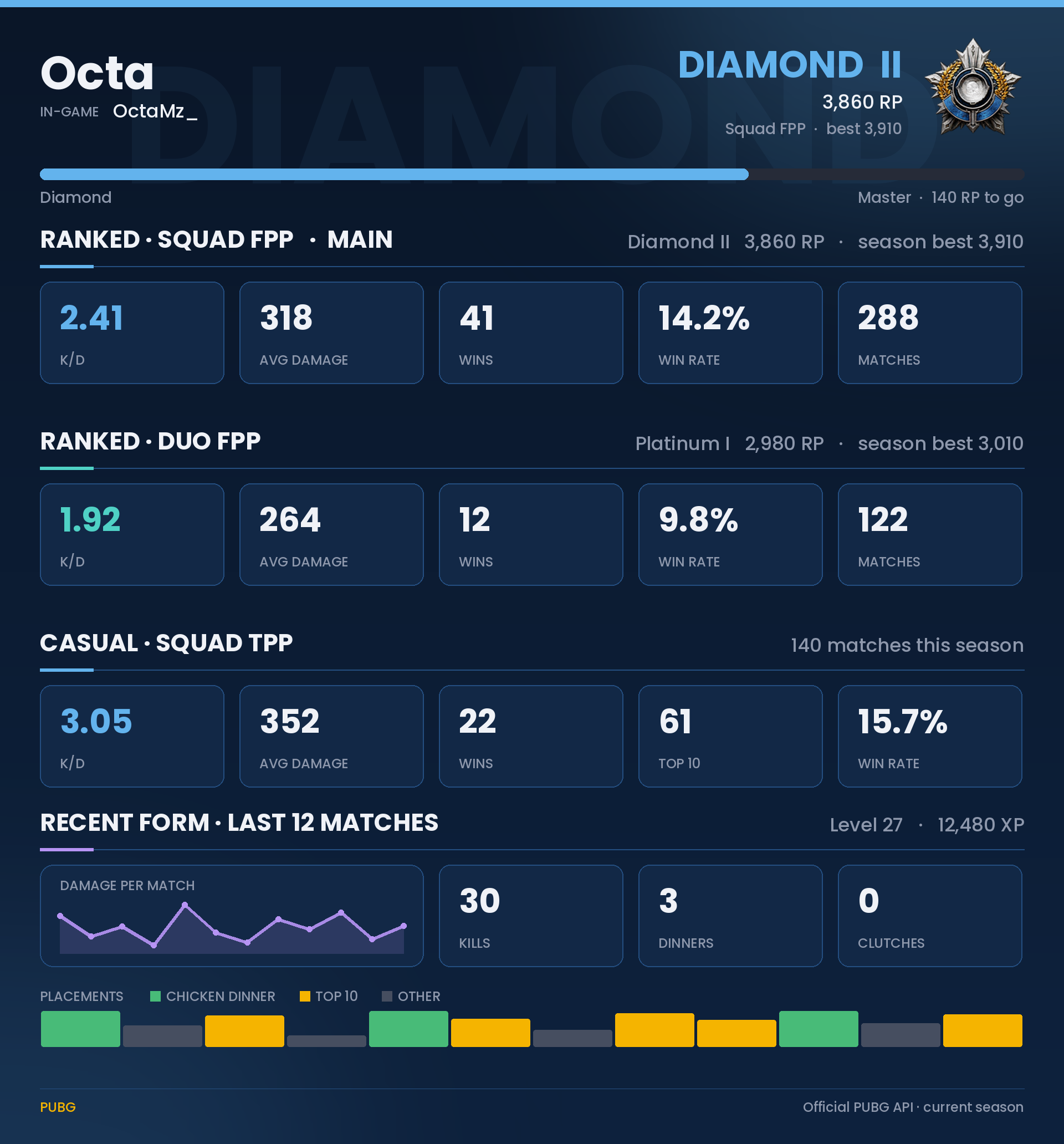
stats card preview
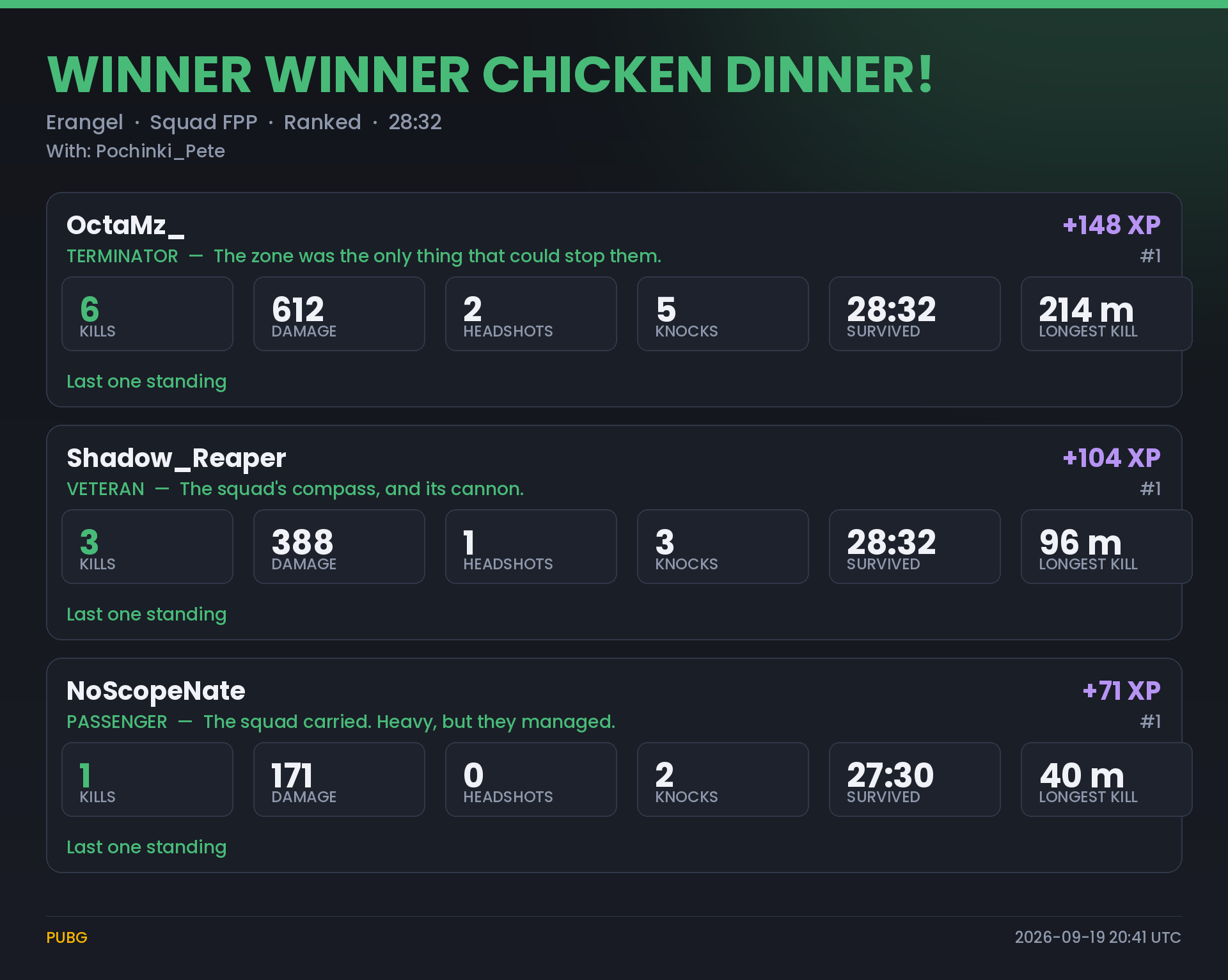
match recap preview

What the bot does

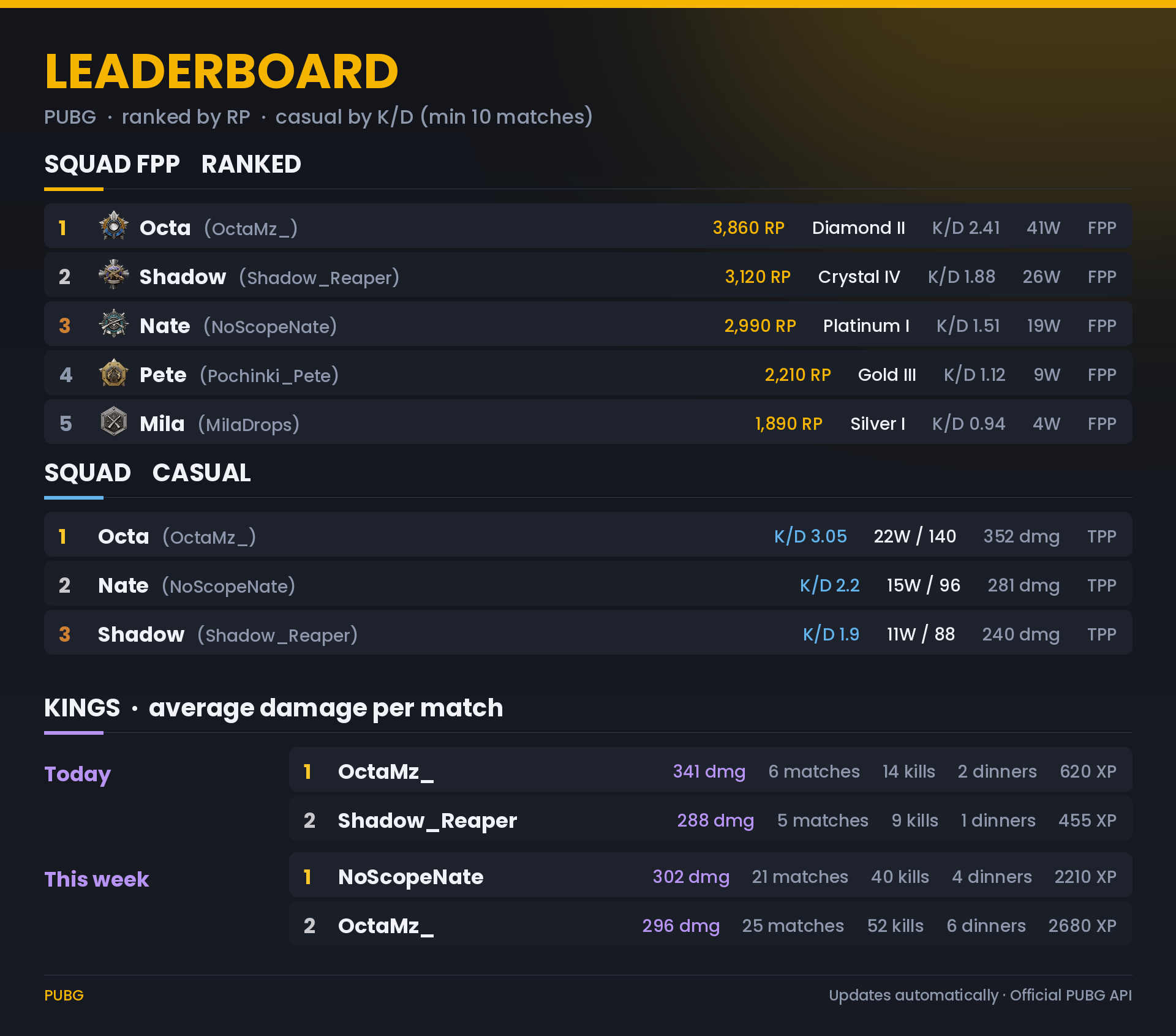
Every image here is rendered by the bot's own code β€” this is what your members get.

#link-pubgπŸ… Account linking & rank roles

Members type their in-game name once. The bot verifies it with the official PUBG API and gives a rank role β€” Bronze V to Diamond I, Master, Survivor β€” that moves up and down with their real ranked tier.

#statsπŸ“Š Stats cards

Ranked and casual stats per mode, recent form, XP level β€” on a pinned button, or by typing any in-game name. Optional death reports and progress cards by DM.

#chicken-dinners Β· #topπŸ— Match recaps

Every chicken dinner and top-10 duo / top-5 squad finish: kills, damage, who killed whom, a grade, a roast line, the route map and an animated replay GIF.

#leaderboardπŸ† Leaderboard, Kings & championship

A self-updating board β€” ranked by RP, casual by K/D β€” plus Kings of the day, week and month by average damage and a monthly championship with a champion role.

#pubg-newsπŸ“° PUBG news

Patch notes, maintenance notices, events and known issues from PUBG's official feed, posted as cards minutes after they go live. Pick which types you want.

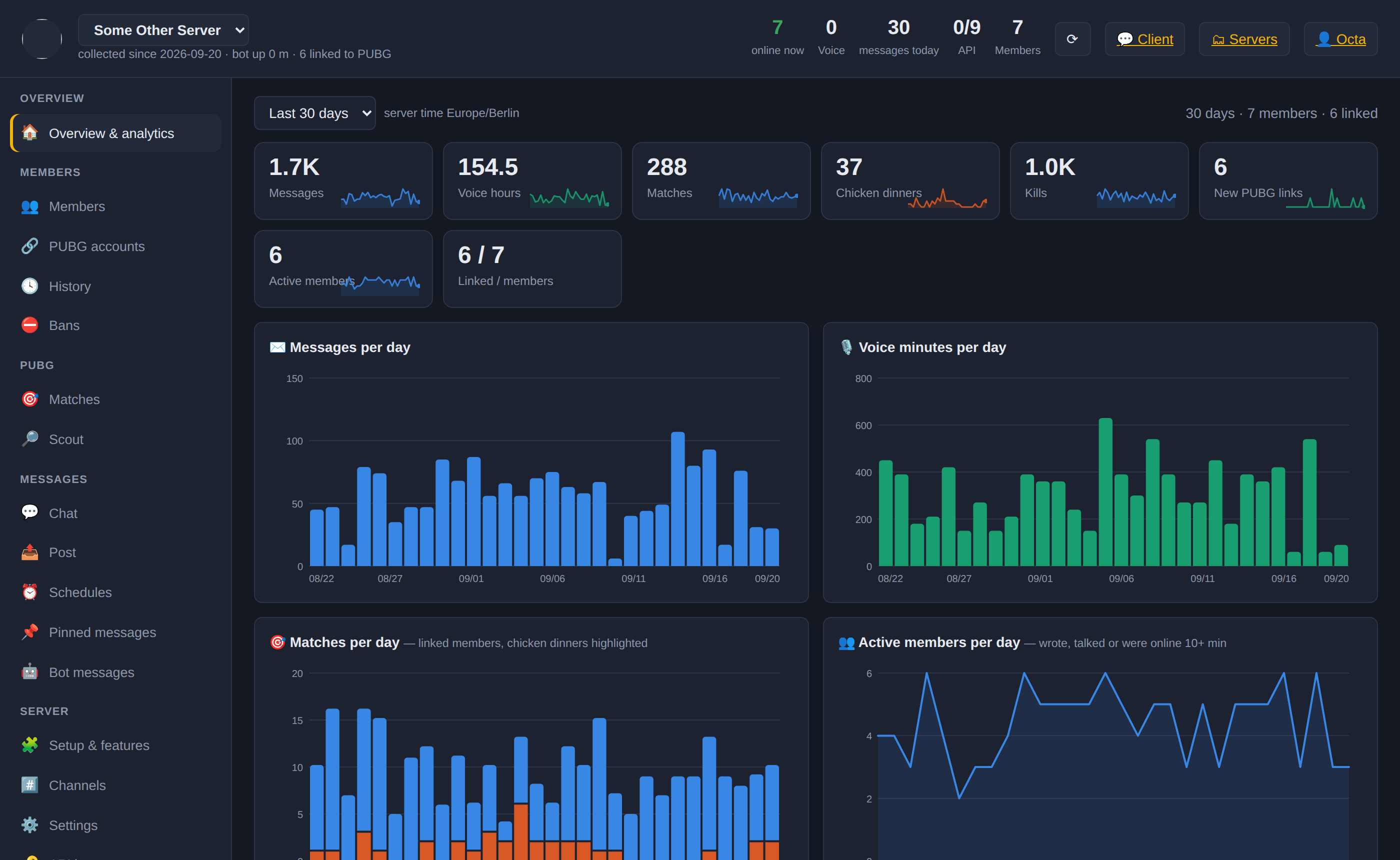
your server's dashboardπŸ–₯️ Web dashboard

Members and their PUBG links, match log, moderation, pinned-message editor, schedules, channels and every setting β€” per server. Admins sign in with Discord; moderators get the moderation tools.

⬆️ Rank-up announcementsπŸ›οΈ Hall of fameπŸ‘‘ King of the Day roles🩺 Death reports (DM)πŸ“ˆ Progress reports (DM)πŸͺ‚ Welcome / rules / roles channelsπŸ’¬ Community channelsπŸ“Ί StreamersπŸ›‘οΈ Staff tools & invite-link blockingπŸŽ™οΈ Squad / Duo / temporary voice roomsπŸ₯‡ Ranked voice categories⚑ /pubg rank Β· stats Β· vs Β· coach Β· xp

How it works

Two minutes from invite to the first linked member. The bot creates one category and leaves the rest of your server exactly as it is.

1Add the bot

Invite it with the button above (Administrator permission β€” it needs it to create its category and rank roles). It posts a hello message with a link to the setup page.

2Pass the setup page

See real previews, choose the category and channel names, the time zone and a PUBG API key, then click Create. The bot creates PlayerUnknown's Battlegrounds with #pubg-news, #link-pubg, #stats, #leaderboard, #chicken-dinners and #top.

3Members link, the bot does the rest

Members type their PUBG name in #link-pubg. Rank roles, stats cards, match recaps, leaderboards and news follow automatically. Extras are one click each in the dashboard.

βœ… What it creates
  • One category with six channels (rename any of them, or point the bot at channels you already have)
  • Rank roles β€” no permissions, they only show the tier
  • Pinned messages and banners with your server's name
β›” What it never does
  • Delete, rename, move or re-permission channels or categories it didn't create
  • Change your roles, @everyone or any server setting
  • Create anything else until you switch an extra on

PUBG news

Straight from PUBG's official feed β€” the same items the bot posts in #pubg-news.

Loading the latest news…

Dashboard sign-in

Sign in with Discord to open the dashboard of every server you manage that has the bot. No account to create, no password.

  • Server owner, Administrator, Manage Server β€” the setup page and the whole dashboard
  • Manage Messages / Kick / Ban / Timeout β€” the moderation tools
  • Everyone else β€” nothing to see here; the bot is in your Discord

Sign in

Server dashboard
Γ—