📣 Welcome to PUBG-Bot.com!
PUBG stats · Discord bot · Stream Kit

Every PUBG player,
one search away.

Ranked tier, RP, K/D, damage and win rate for any player on PC, Xbox or PlayStation — straight from PUBG's developer API. Then bring it to your Discord and your stream.

Capitals don't matter for most names — we find the right spellingPlayers searched before open instantly
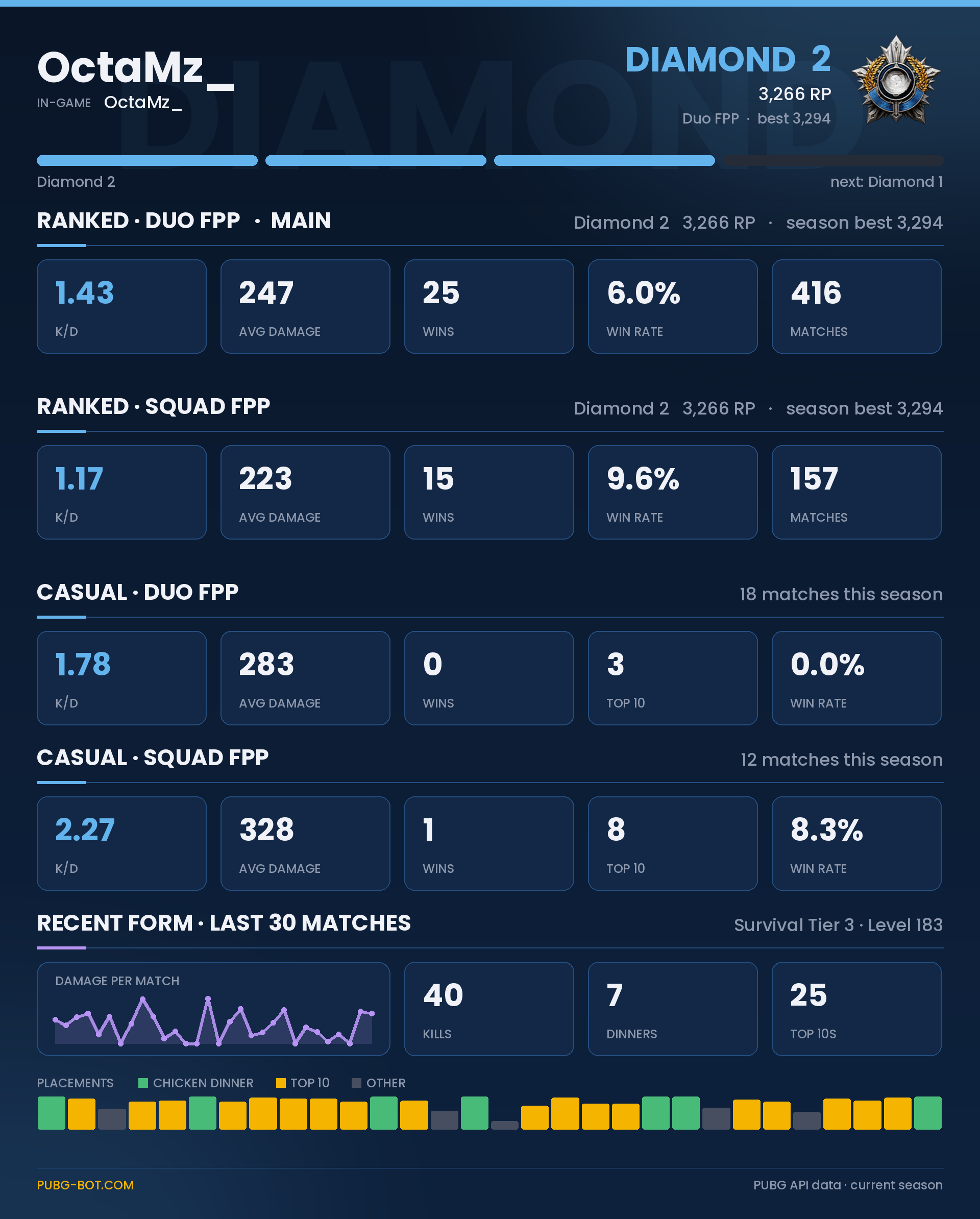
stats card preview
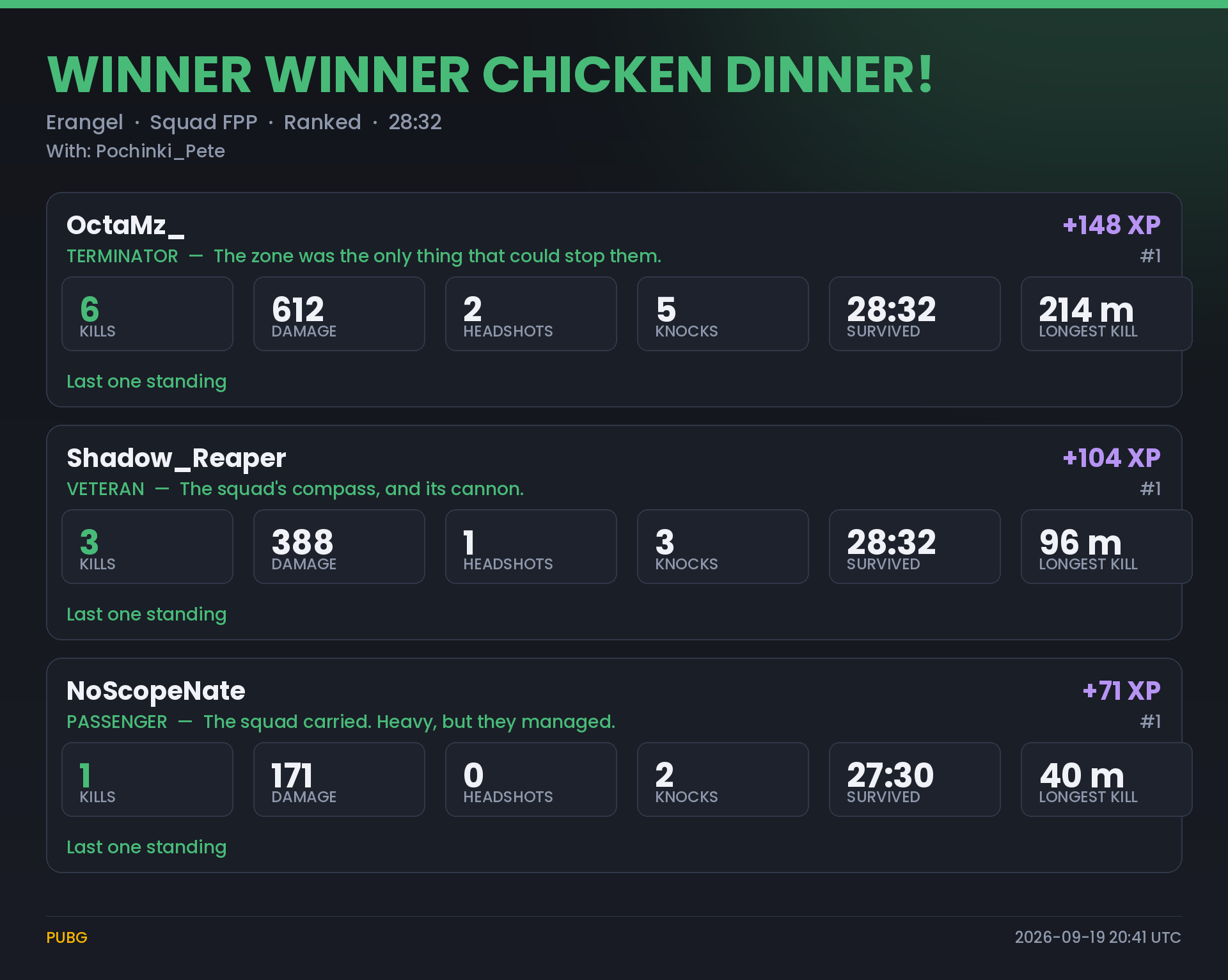
match recap preview
Master

He0215-_

PC (Steam)Master · 4,039 RP

Ranked — this season

ModeRPK/DAvg dmgWin %WinsMatches
Squad FPPMaster
4,039—31520.0%61305
Best rank · last 3 seasons
MasterMaster4,039 RP · this season
S43Master
S42…
S41…
Advertisements
This week in PUBG

The AUG got 11.8% of the kills

– : 571 matches PUBG-Bot.com tracked — 37,950 kills and 39,538 landings.

The guns with the most kills

  1. 1AUG11.8%
  2. 2M4168.8%
  3. 3Beryl M7627.3%
  4. 4ACE326.6%
  5. 5M245.3%
The whole weekly meta →
Heat map of Erangel: where players landed and where they went downHottest drops on Erangel36% of the matches · the three hottest drops are ringed

Top of the ladder

PC · Europe · Squad FPP

  1. 1Xxs_CrowSurvivor5,314 RP
  2. 20MORFOPAIDOSurvivor5,166 RP
  3. 3HELLO_AMERICAN_BSurvivor4,895 RP
  4. 4oQoQoo_Survivor4,863 RP
  5. 5ecuxSurvivor4,856 RP
All leaderboards →
Player stats

Everything about a player, on one page

Look anyone up on PC, Xbox, PlayStation or Kakao. A player who was searched before opens at once with the stats saved last time, then updates to the live numbers by itself.

Ranked and casual, every mode

Tier, RP, K/D, damage, win rate and top 10s for each mode this season.

The last 10 matches

Place, kills and damage — open one for the scoreboard, the kill feed, the replay and the route map.

Weapon mastery

The level and lifetime numbers of every gun. Pick one to see more: its bests in one match, normal against ranked, and how it does in this week's meta.

Survival mastery

Tier and level, with career numbers: top 10s, distance travelled, teammates revived and more.

Wins by map

Wins and win rate on every map, counted from the first look onwards.

Best rank of three seasons

The best tier of this season and the two before it, and this season's RP day by day.

Compare, banner, overlay

Put two players side by side, make a banner for a forum signature, or an overlay for OBS.

Ban status and the cheat meter

PUBG's own ban status, and a just-for-fun meter of how suspicious the numbers look.

See it in action

Thirty seconds each

What your Discord server and your stream get — recorded from the bot's own screens.

The Discord botRank roles, stats cards, match recaps, leaderboards and the dashboard.
The Stream Kit for TwitchAn alert box you design, goal bars, an event ticker and a stats overlay for OBS.
Discord bot

Your PUBG community, on autopilot

Rank roles, stats cards, match recaps, leaderboards and news — every image here is rendered by the bot's own code. One category on your server, nothing else touched.

#pubg-botAccount linking & rank roles

Members press 🔗 Link my PUBG account once and enter their in-game name and platform. The bot verifies it with PUBG's developer API and gives a rank role — Bronze IV to Diamond I, Master, Survivor — that follows their real ranked tier.

#pubg-botStats cards

Ranked and casual stats per mode and recent form — on a pinned button, or for any in-game name. Optional death reports and progress cards by DM.

#chicken-dinners · #topMatch recaps

Every chicken dinner and top finish: kills, damage, who killed whom, a grade and the route map.

#leaderboardLeaderboards & championship

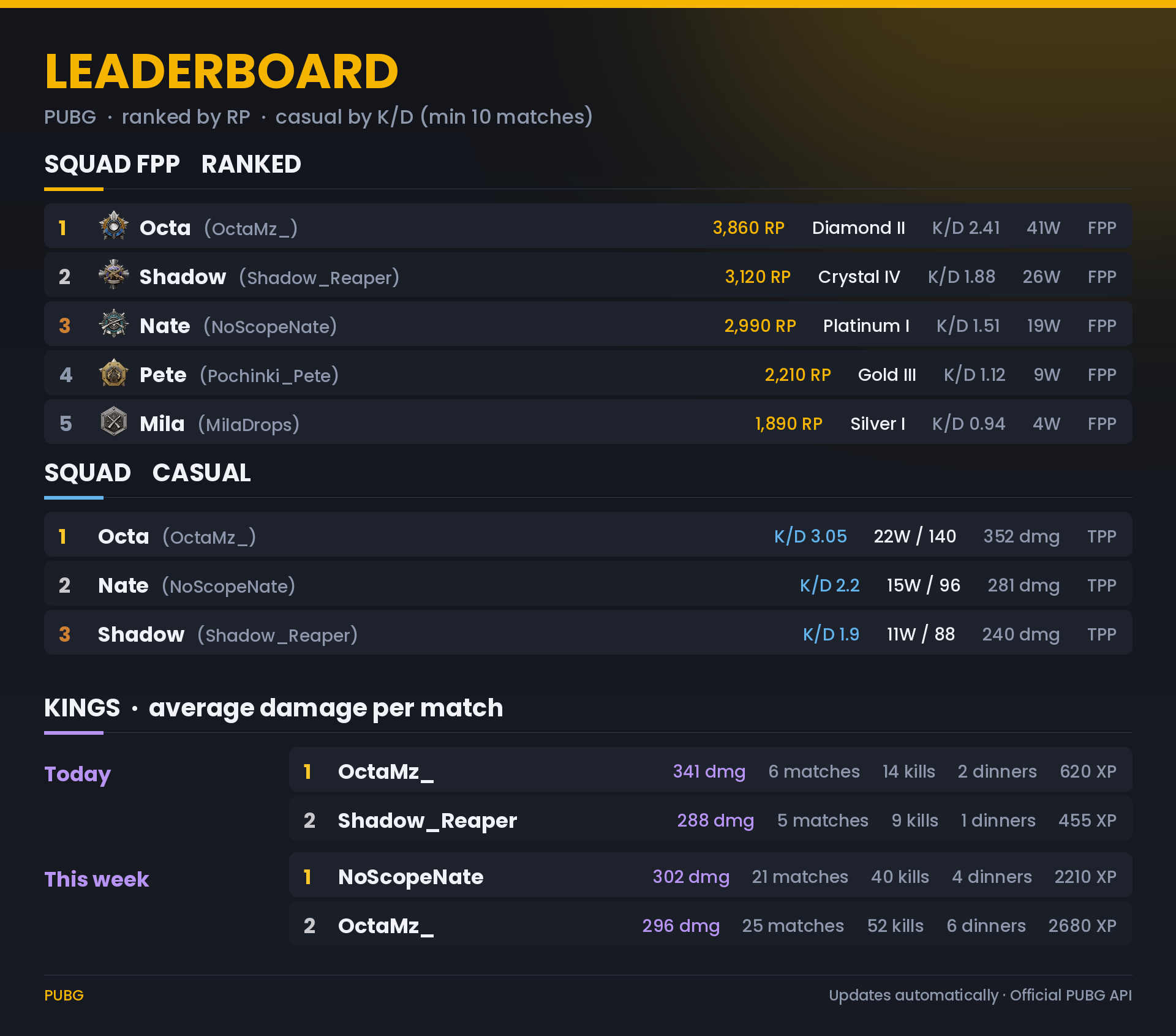
A self-updating board — ranked by RP, casual by K/D — plus Kings of the day, week and month, and a monthly championship with a champion role.

#pubg-newsPUBG news

Patch notes, maintenance, events and known issues from PUBG's official feed, posted as cards minutes after they go live.

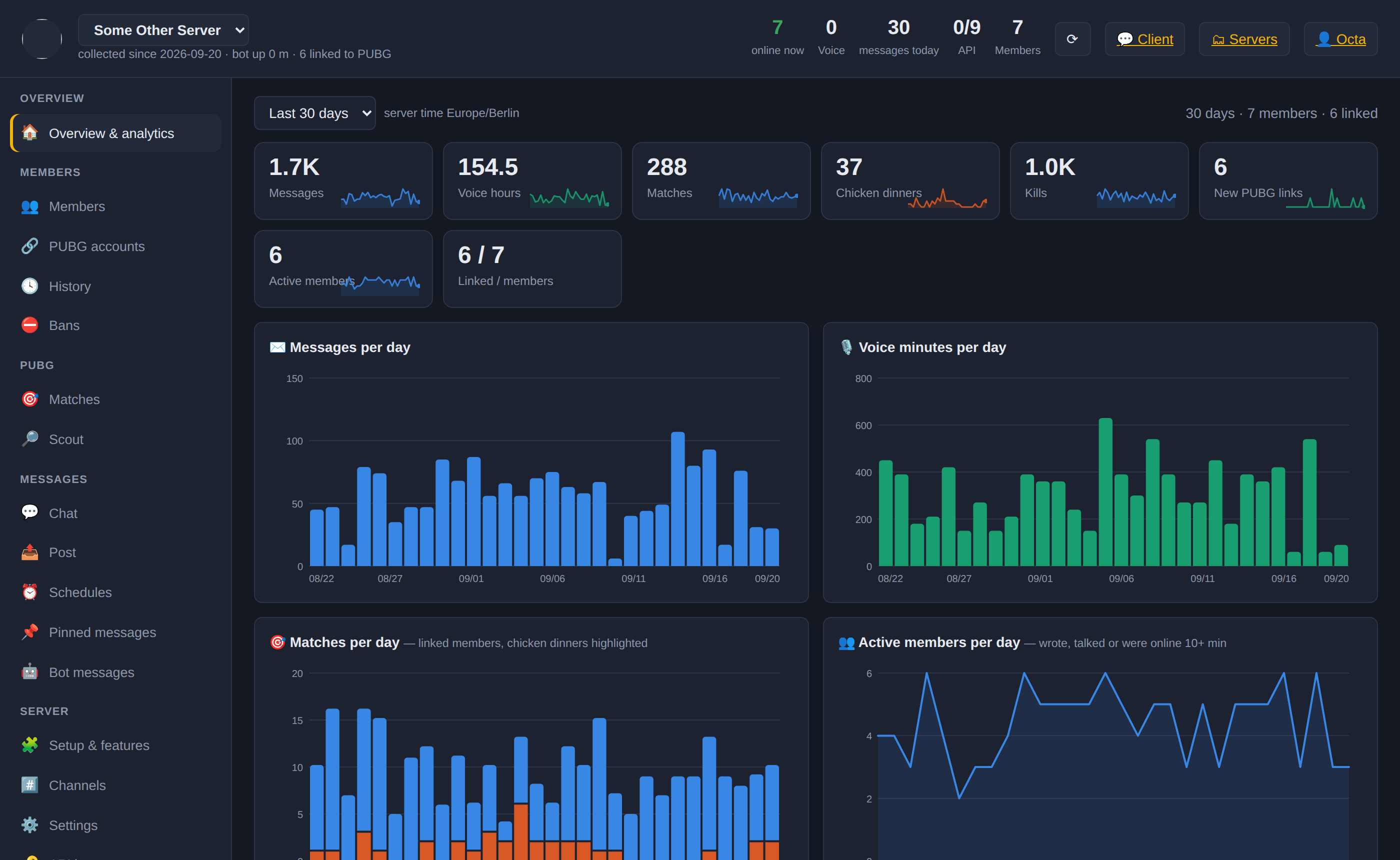
web dashboardA dashboard for your admins

Members and their PUBG links, match log, moderation, pinned messages, schedules, channels and every setting — per server, signed in with Discord.

Rank-up announcementsHall of fameKing of the Day rolesDeath & progress reportsWelcome, rules & roles channelsClansSquad, duo & temporary voice roomsRanked voice categoriesPC · Xbox · PlayStation/pubg rank · stats · vs · coach →
Two products, one bot

Use either on its own — or both

The Discord side needs no Twitch. The Stream Kit needs no Discord.

PUBG community bot

For Discord servers on PC, Xbox and PlayStation.

  • Rank roles from PUBG's developer API
  • Stats cards, match recaps, route maps and replays
  • Self-updating leaderboards and a monthly championship
  • PUBG news, clans and the chicken-dinner sound
  • A dashboard for your admins

Stream Kit

For streamers — sign in with Twitch, no Discord needed.

  • An alert box you design: layout, font, colours, sounds, animations
  • Variations by amount — a bigger alert for bigger cheers and tips
  • Donations from Ko-fi, StreamElements, Streamlabs and Tipeee
  • Goal bars, an event ticker and your top supporters
  • Optional: post the same events in a Discord server
Discord bot

Set up in two minutes

The bot creates one category and leaves the rest of your server exactly as it is.

1Add the bot

Invite it with Administrator permission — it needs it to create its category and rank roles — then drag its role to the top in Server Settings → Roles.

2Finish the setup page

Pick the language, the channel names, your platform and the features you want. The bot creates PlayerUnknown's Battlegrounds with six channels.

3Members link, the bot does the rest

Members press 🔗 Link my PUBG account in #pubg-bot. Rank roles, stats, recaps, leaderboards and news follow automatically.

What it creates
  • One category with six channels — rename any, or point the bot at channels you already have
  • Rank roles with no permissions
  • Pinned messages and banners with your server's name
What it never does
  • Delete, rename or re-permission anything it didn't create
  • Change your roles, @everyone or any server setting
  • Create anything else until you switch an extra on

Every command and the answers to common questions →   Step-by-step setup guide →

Game news

PUBG news

The same items the bot posts in #pubg-news.

Loading the latest news…
Good to know

Frequently asked questions

How fresh are the stats?

A player looked up before opens at once with the stats saved last time, and the live numbers replace them a moment later — PUBG's API itself runs about 15 minutes behind the game, and a lookup is kept for 20 minutes. Rank roles of linked members are checked again about once an hour.

Which platforms work?

PC (Steam), Kakao, Xbox and PlayStation. Each Discord server picks its main platform; members can link on another platform with the platform option of /pubg rank. Play on two platforms? Press 🔗 Link my PUBG account again to link your second account, with its own name: on servers that play on its platform, your rank role comes from it.

Why can't it find my name?

Check the platform first. Capital letters usually don't matter — the bot finds the right spelling of names it has seen — but for a brand-new name, type it exactly as it appears in the game. A name changed in the last few hours may not be in PUBG's API yet.

What is weapon mastery and survival mastery?

PUBG's own progress for every weapon (a level from the XP you earn with it, plus lifetime kills, knocks, headshots, damage and the longest kill) and for staying alive (a level plus career numbers such as matches, top 10s, distance travelled and teammates revived). Player pages show both, and /pubg weapons or !weapons bring them to Discord and Twitch.

Why only the last 14 days of matches?

PUBG's API keeps match details for 14 days. Older matches — and their replays and route maps — can't be loaded any more.

Is this an official PUBG product?

No. PUBG Bot is an independent fan project. It reads public data from PUBG's developer API and is not affiliated with or endorsed by PUBG Corporation or KRAFTON.

All questions and every command →

Discord bot

Dashboard sign-in

Sign in with Discord to open the dashboard of every server you manage that has the bot. No account, no password.

  • Server owner, Administrator, Manage Server — the setup page and the whole dashboard
  • Manage Messages, Kick, Ban, Timeout — the moderation tools
  • Everyone else — nothing to see here; the bot lives in your Discord

Sign in

Server dashboard
×
Advertisements